One line
Kolibri moves and resizes Mac windows while you hold a modifier key and move the mouse, like alt-drag on Linux.
Press kit
Kolibri moves and resizes Mac windows while you hold a modifier key and move the mouse. You never aim for a title bar or an edge.
Questions, promo codes, anything else. Write to carl-fredrik@arvidson.io.
The basics
How it works
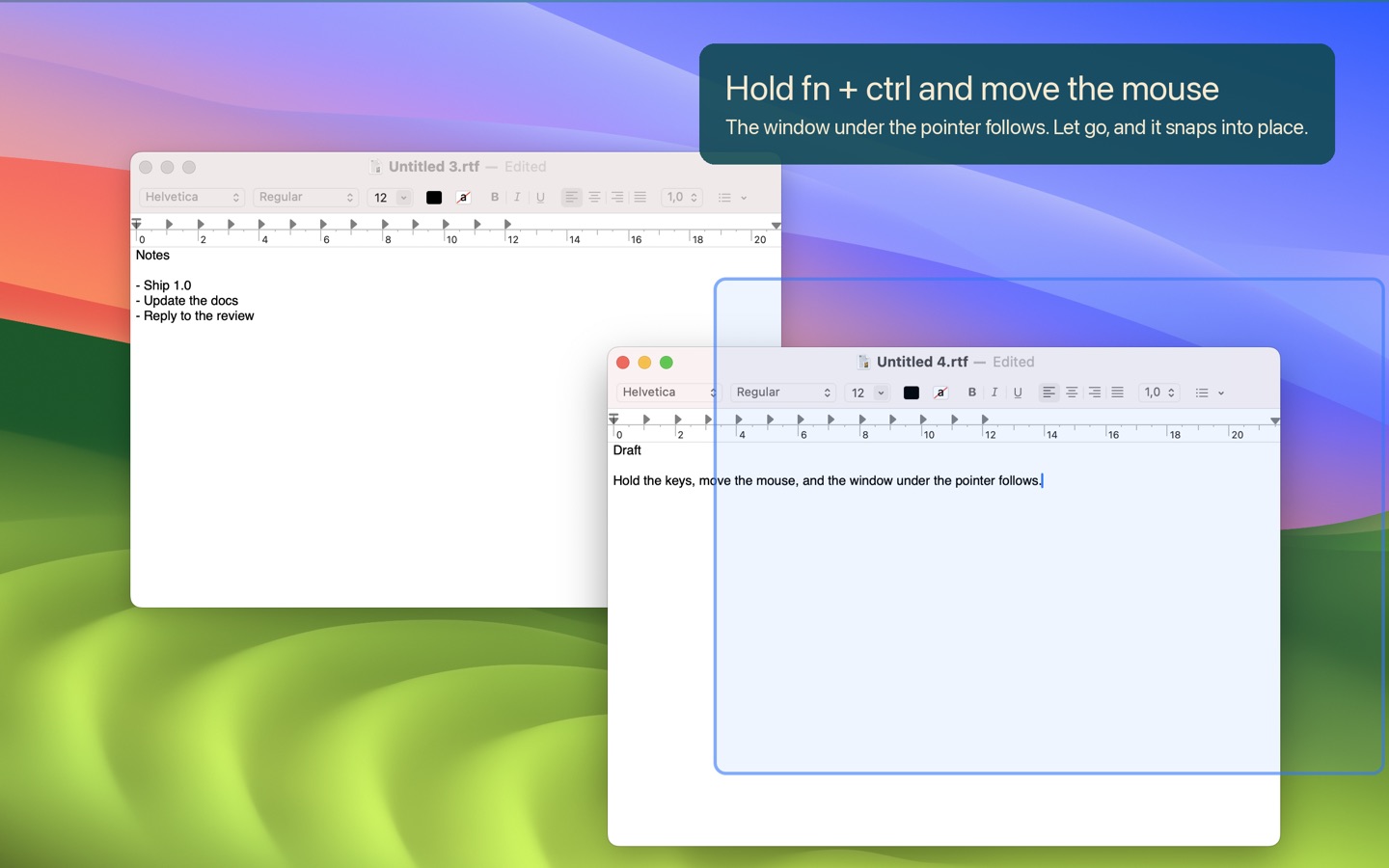
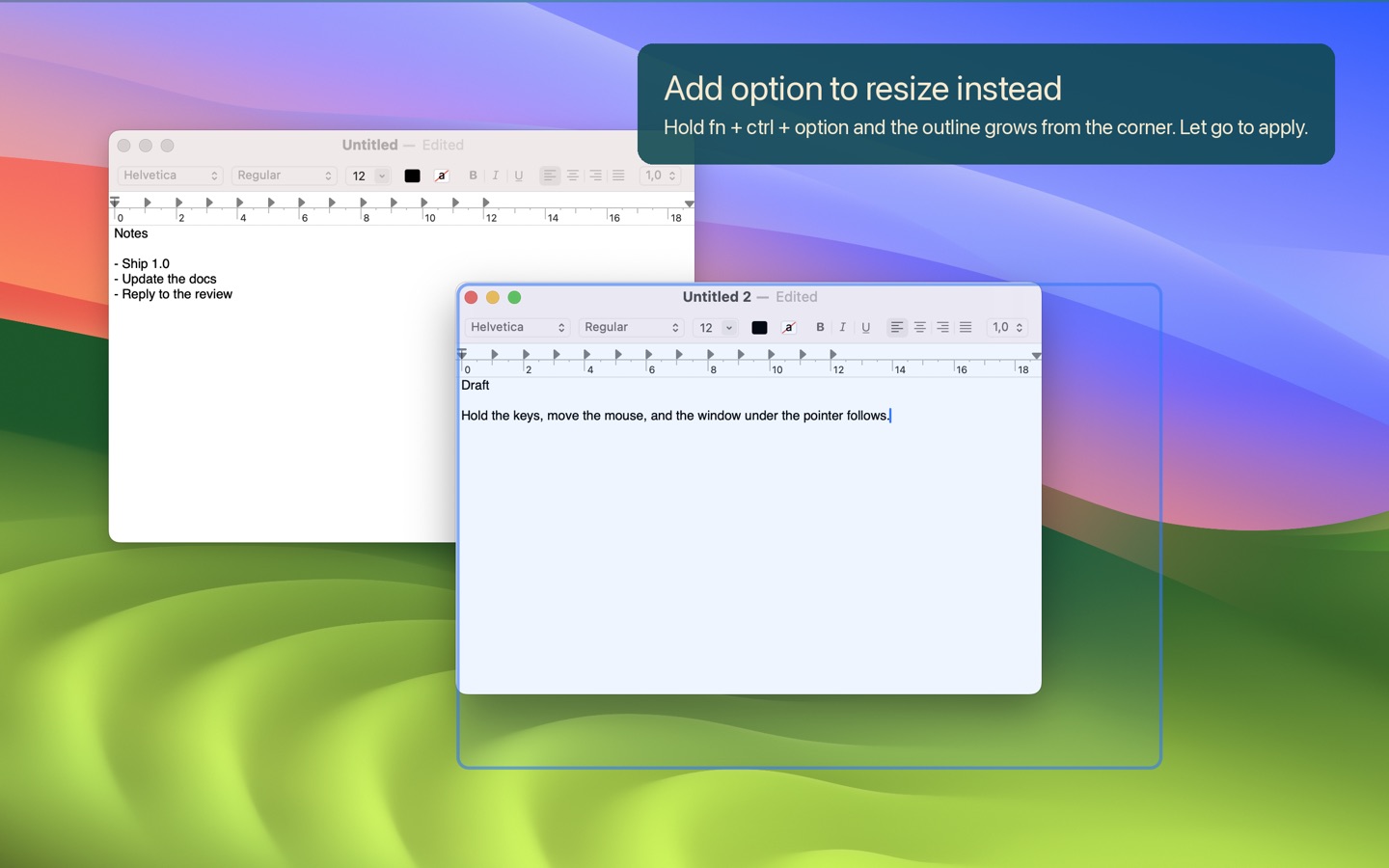
Hold fn and ctrl and move the mouse. Add Option and the same gesture resizes, from the nearest corner or from the bottom right. Any modifier combination works, and a preference can require a click before anything moves.
A sandboxed App Store app may not move another app's windows through the Accessibility API, and Apple rejects window managers that try. So Kolibri follows the pointer with its own outline, then hands the final position to a small shortcut in Apple's Shortcuts app, which moves the real window. It lands roughly a quarter of a second after you let go. The only permission Kolibri asks for is one Automation prompt, on the first move.
Kolibri Pro is the same app outside the sandbox. It moves the window itself while you drag, contents visible. It is a notarized direct download that reads the App Store receipt of the installed Kolibri on the same Mac, offline. No license key, no account, no server.
Kolibri does not tile or snap windows to screen edges. Magnet and Rectangle do that, and Kolibri runs fine next to them.
Copy you can use
Kolibri moves and resizes Mac windows while you hold a modifier key and move the mouse, like alt-drag on Linux.
Kolibri is a menu bar app that moves the window under the pointer while you hold fn and ctrl. Add Option to resize. You never aim for a title bar or an edge. It runs inside the App Store sandbox, asks for no Accessibility access, and collects no data. $7.99, paid once.
On Linux you hold Alt and drag a window from anywhere inside it. macOS has never had that. You aim for the title bar to move a window and for a few pixels of edge to resize it.
Kolibri adds the missing gesture. Hold fn and ctrl and move the mouse, and the window under the pointer follows. Add Option and it resizes from the nearest corner. Pick any modifier combination you like, or require a click before anything moves.
Apple does not let a sandboxed App Store app move other apps' windows directly, so the store build draws an outline that tracks the pointer and places the window when you release the keys. People who want the window itself to follow can run Kolibri Pro, a free notarized download that unlocks from the App Store receipt. No license key, no account.
Kolibri costs $7.99 once and collects no data.
Kolibri är en app i menyraden som flyttar fönstret under pekaren medan du håller fn och ctrl. Lägg till alternativtangenten för att ändra storlek. Du behöver aldrig sikta på en titelrad eller en kant. Appen kör i App Stores sandlåda, kräver ingen hjälpmedelsåtkomst och samlar inte in någon data. 99 kr, engångsköp.
Two builds
| Kolibri | Kolibri Pro | |
|---|---|---|
| Price | $7.99 / 99 kr, once | Free for Kolibri owners |
| Where | Mac App Store | Direct download, notarized |
| While you drag | An outline follows the pointer | The window follows, contents visible |
| When you let go | The window lands where the outline was | The window is already there |
| Sandboxed | Yes | No |
| Permission | One Automation prompt for Shortcuts | Accessibility |
| Updates | App Store | Built in, through Sparkle |
| License | The purchase | The App Store receipt on the same Mac, checked offline |
Media